
Spinfin Promotions and Bonuses
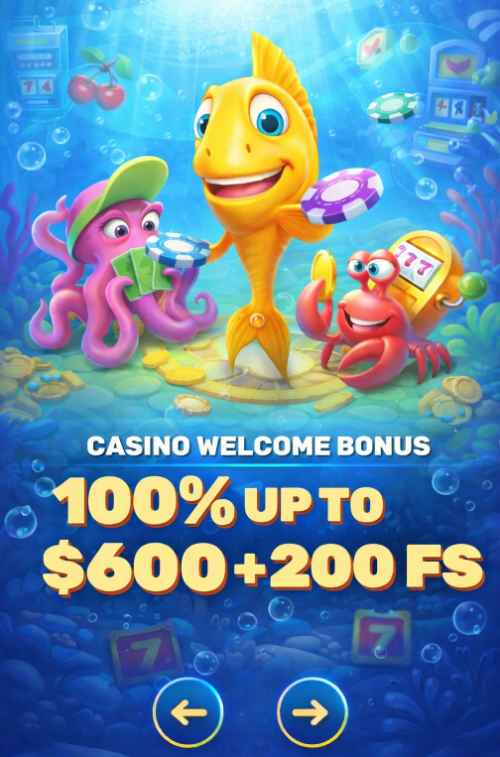
Use this page to find promotions in your account, activate an offer, and track progress. Exact availability can vary by region, currency, and account eligibility settings.
For any offer, the only authoritative place is the promotion card in your account menu. If something does not credit or unlock, start with your bonus status and cashier history.
Find Promotions in Your Account
Promotions usually appear inside your account menu under Promotions or Bonuses.
If you do not see an offer, it can be hidden by eligibility or region rules.
For spinfin promotions, open each offer card and read the conditions first.
Before you act, confirm the offer name, expiry, and any opt-in switch.
Use this quick map to locate key information without guessing.
| Item | Where In Account | What To Confirm |
|---|---|---|
| Available offers | Promotions or Bonuses | Offer list matches your region and currency |
| Offer details | Open the offer card | Expiry, wagering, and game restrictions |
| Active offer status | Active bonuses section | Progress and whether funds are locked |
| Related transactions | Cashier history | Deposit status and reference IDs |
Activate an Offer Before You Play
Many offers only track if you activate them before depositing or playing.
If you skip activation, the system may not attach the bonus to your session.
If your offer requires a qualifying deposit, follow the deposit flow using the deposit steps and confirm the result in History.
- Open Promotions or Bonuses in your account menu.
- Select the offer and read the conditions first.
- Look for an opt-in or activate button.
- Confirm the offer appears as active after activation.
- Make the required action, usually a deposit or gameplay.
- Return to the active offer and check progress tracking.
- Check cashier history for the related transaction status.
Check Eligibility and Regional Availability
If an offer is missing, it does not always mean it ended.
It can be unavailable due to your region, currency, or account eligibility.
- Refresh the promotions list after a new login session.
- Check your account currency matches the offer conditions.
- Confirm you are not using VPN or proxy tools.
- Open each offer card and read eligibility notes.
- Look for opt-in requirements before deposits.
- Check whether a previous active offer blocks new ones.
Track Wagering and Bonus Status
When funds feel locked, the first place to check is your active bonus status.
This is also where spinfin bonus wagering requirements are typically displayed for an active offer.
If a value is not shown on the page, verify it inside the offer card.
Use this table to interpret what you see and what to do next.
| What You See | Where To Look | What It Means |
|---|---|---|
| Active offer running | Promotions or Bonuses – Active | Winnings may stay locked until conditions complete |
| Progress percentage | Offer progress tracker | Shows remaining wagering or tasks |
| Locked balance | Wallet or balance view | Bonus funds not yet released to real balance |
| Transaction reference | Cashier history | Use it when contacting support about tracking |
Free Spins Winnings Release Example
Some offers lock free spins winnings until you complete a wagering target.
One example rule states free spins winnings must be wagered 40x to release into real balance.
Treat this as an example for a specific offer and always verify your active offer card.
This snapshot helps you know what to check and where.
| Rule Element | Example Value | Where To Verify |
|---|---|---|
| Release condition | Winnings unlocked after requirements complete | Open the active offer card |
| Wagering multiple | 40x on free spins winnings | Offer terms inside Promotions or Bonuses |
| Progress tracking | Percentage or remaining amount | Active offer progress view |
Bonus Expiry and Where to See It
Bonuses and free spins often have a time window that can expire.
To avoid surprises, check the expiry timing inside the offer card early.
- Open the offer card and locate the expiry line.
- Check whether expiry is days, hours, or a calendar date.
- Confirm if wagering must finish before the expiry moment.
- Look for forfeiture triggers like canceling or withdrawal attempts.
- Check if free spins have a separate expiry window.
- Save the offer name and expiry for your notes.
Eligible Games and Contribution Basics
Not every game category always contributes the same way to wagering.
If progress is slow, confirm whether your chosen game counts for the offer.
- Check the offer card for eligible game categories.
- Look for any excluded titles or providers list.
- Confirm minimum bet rules if they are stated.
- Watch for caps on contribution from certain categories.
- Switch to a clearly eligible game if progress stalls.
- Re-check the progress tracker after a short session.
Switching or Canceling Active Offers
Sometimes you activate the wrong offer or change your plan mid-session.
Before you cancel, read the offer card for what happens to locked funds.
If the platform allows switching, do it from the active offer controls.
Use this table as a quick decision aid before you click anything.
| Action | Where To Do It | What To Expect |
|---|---|---|
| Cancel active offer | Active offer controls | Locked bonus funds may be forfeited |
| Switch offers | Promotions list and active offers | New offer may not attach if old one stays active |
| Keep current offer | Continue playing eligible games | Progress continues until completion or expiry |
How Bonuses Affect Withdrawals
An active offer can block a cashout until conditions are completed or removed.
Before you request a payout, confirm bonus status, verification needs, and cashier history.
If a cashout is blocked while an offer is active, start with the withdrawal request page and compare it to your current bonus status.
This checklist helps you identify the usual blockers quickly.
| Check | Where To See | Next Step |
|---|---|---|
| Active offer running | Promotions or Bonuses – Active | Finish wagering or cancel if allowed |
| Progress completed | Offer progress tracker | Wait for funds to release to real balance |
| Deposit confirmation | Cashier history | Confirm status is completed, not pending |
| Account checks | Account verification area | Submit documents if requested |
Promo Code: Where to Check if Needed
Some promotions require a code, while others attach by opt-in only.
If you are unsure, confirm it inside the offer card and the deposit screen.
This table shows where to look without assuming a code field exists.
| Question | Where To Check | What To Do Next |
|---|---|---|
| Does this offer require a code? | Offer card conditions | Use the exact wording shown for activation |
| Where would I enter it? | Deposit flow in the cashier | Look for a code field during confirmation |
| Code did not apply | Offer card and deposit details | Re-check eligibility, then contact support |
Problems and Fixes
If something fails to credit or track, start with offer status and cashier history.
Most issues are caused by activation timing, eligibility, or wrong game category.
Bonus Not Credited After Deposit
This usually happens when an offer was not activated before the deposit.
Check your active offer list first, then confirm the deposit status.
- Open Promotions and check if the offer is active.
- Confirm the deposit is completed in cashier history.
- Check the offer card for minimum deposit condition.
- Verify currency and region match the offer conditions.
- Look for opt-in requirement before the deposit.
- Save the deposit reference ID for support.
Free Spins Missing Or Not Added
Free spins can appear as a separate entry under the active offer.
They may also require opt-in or a qualifying action first.
- Open the offer card and check free spins conditions.
- Confirm you met the qualifying deposit requirement.
- Check whether free spins have a separate expiry window.
- Reload the promotions page after a fresh login.
- Check if the offer is limited to specific games.
- Take a screenshot of the offer card details.
Wagering Progress Not Updating
Progress can stall if you play a game that does not contribute.
Use the offer card rules to confirm eligible categories and titles.
- Confirm your game is eligible for the active offer.
- Check if the offer excludes certain providers or titles.
- Verify you are playing with the correct wallet balance.
- Reopen the progress tracker after a short session.
- Switch to another eligible game to test tracking.
- Save timestamps of your bets for evidence.
Offer Not Available For My Account
Some offers are limited by region, currency, or account rules.
If it is missing, it can still be active for other segments.
- Refresh your session and re-check promotions list.
- Confirm your account currency matches typical offer terms.
- Turn off VPN or proxy tools and reload once.
- Check if another active offer blocks new activation.
- Look for eligibility notes in similar offer cards.
- Prepare a screenshot of the missing offer area.
Cannot Withdraw With Active Offer
An active offer can block withdrawals until requirements are complete.
Check progress and release status, then verify cashier history labels.
- Open active offer status and confirm progress remaining.
- Check for locked balance that has not released yet.
- Confirm deposit status is completed in cashier history.
- Check verification area for any requested documents.
- Review offer card notes about withdrawals and cancellation.
- Save reference IDs for the blocked withdrawal attempt.
Do I Need A Promo Code
Do not guess based on screenshots or third-party pages.
Confirm the requirement in the offer card and the deposit flow.
- Open the offer card and look for code instructions.
- Check if activation is opt-in without a code.
- Start the deposit flow and look for a code field.
- Stop before confirming if you are unsure.
- Re-check eligibility notes in the same offer card.
- Contact support with the offer name and screenshot.
Where to Get Help Fast
If a bonus issue persists, send a clear message with exact details.
If something does not credit or track correctly, contact support and include the offer name and the transaction details.
- Your account email and the country you connect from.
- The exact offer name and when you activated it.
- Deposit amount, method, date, and time of the action.
- Reference IDs from cashier history and offer status.
- Screenshots showing the full browser address bar.
- Game title played and the time window for bets.
Bonus Terms: The Authoritative Source
For disputes, rely on the exact wording shown in the offer card.
When you need the official legal wording, verify it in terms and rules before you cancel or change an active offer.
If a number is not visible here, check the offer card and your account menus.
FAQ
How Do I Activate a Promotion?
Open Promotions or Bonuses in your account, select the offer, and use the opt-in or activate control before you deposit or play.
Where Is My Active Bonus Shown?
Check the active offers area inside Promotions or Bonuses, then open the offer card to see status and progress.
How Is Wagering Progress Displayed?
Progress is shown in the active offer tracker as a percentage or remaining requirement, and details are listed in the offer card.
Why Did My Bonus Not Credit?
Common reasons are missing activation, deposit not completed, currency mismatch, or eligibility limits for your account segment.
Where Can I See Promo Expiry?
Open the offer card and look for the expiry line, then confirm whether wagering must finish before that moment.
How Do Free Spins Winnings Release?
Some offers require wagering on free spins winnings before they unlock to real balance, so verify the release rule in your offer card.
Where Do I Read Promo Terms?
Open the offer card inside Promotions or Bonuses and read the conditions section, including wagering, expiry, and game restrictions.
Do Promotions Differ by Region?
Yes, availability can vary by region, currency, and eligibility rules, so your account view is the reliable source.
Why Is My Wagering Not Counting?
This can happen if you play an excluded game category or title, so check the eligible games section in the offer card.
Do I Need a Promo Code for This Offer?
Some offers require a code and others do not, so check the offer card instructions and the deposit flow for any code field.
Can I Cancel an Active Offer?
Some platforms allow cancellation from the active offer controls, but it can forfeit locked funds, so read the offer card first.
Why Is My Withdrawal Blocked by a Bonus?
If an active offer is running, withdrawals may be blocked until wagering is completed or the offer is removed according to its conditions.